
DMTools3.5 - App Store
You'll be able to see results in few seconds.
Publisher Description
To celebrate our company anniversary we've not only made our popular DMtools free on the AppStore, it's now also open source!!
https://github.com/ScoreStudios/DMTools
-=-=-=-=-
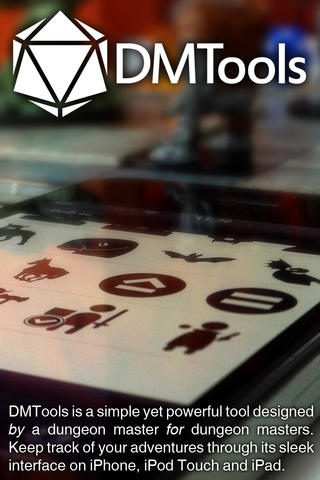
DMTools is a simple yet powerful tool designed by a dungeon master for dungeon masters. Keep track of your adventures through its sleek interface on iPhone, iPod Touch and iPad.
- Powerful initative tracker for adjusting initiative order, statuses and HP
- Keep and organise your notes on lore, items, XP and anything else you may need
- Create a library of templates and lists of players, NPCs and monsters to easily design encounters
- Import your own avatar images or share templates with others in xml format
- Quick and easy viewing of statuses and effects
- Useful for players to keep track of their own adventures during gameplay
- Universal application for iPhone, iPod Touch and iPad
- Continued support
- Detailed user manual
DMTools was not only created by a DM but also owes a lot to the amazing feedback from other DMs who have been using the app. Use the in-app feedback button to send us your thoughts, feature requests and general feedback to help us make DMTools the best Dungeon Master toolkit we can envision!
-----------------------
Like all Score Studios products, we will continuously support DMTools with updates and new features. If there are any specific functions you would like to see included in DMTool, or simply want to send us feedback, please don't hesitate to contact us at info@score-studios.jp or join us in our forums at http://score-studios.jp/forums/
-----------------------
For more Score Studios products and games check our site at www.score-studios.jp
-----------------------
Requires iOS 4.3 or later. Compatible with iPhone, iPad, and iPod touch.
About DMTools
The company that develops DMTools is Score Studios LLC. The latest version released by its developer is 3.5.
To install DMTools on your iOS device, just click the green Continue To App button above to start the installation process. The app is listed on our website since 2010-06-23 and was downloaded 0 times. We have already checked if the download link is safe, however for your own protection we recommend that you scan the downloaded app with your antivirus. Your antivirus may detect the DMTools as malware if the download link is broken.
How to install DMTools on your iOS device:
- Click on the Continue To App button on our website. This will redirect you to the App Store.
- Once the DMTools is shown in the iTunes listing of your iOS device, you can start its download and installation. Tap on the GET button to the right of the app to start downloading it.
- If you are not logged-in the iOS appstore app, you'll be prompted for your your Apple ID and/or password.
- After DMTools is downloaded, you'll see an INSTALL button to the right. Tap on it to start the actual installation of the iOS app.
- Once installation is finished you can tap on the OPEN button to start it. Its icon will also be added to your device home screen.
Program Details
System requirements
Download information
Pricing
Version History
version 3.5
posted on 2010-06-23
Disclaimer
Official App Store Link
We do not host DMTools on our servers. We did not scan it for viruses, adware, spyware or other type of malware. This app is hosted by Apple and passed their terms and conditions to be listed there. We recommend caution when installing it.
The App Store link for DMTools is provided to you by apps112.com without any warranties, representations or guarantees of any kind, so access it at your own risk.
If you have questions regarding this particular app contact the publisher directly. For questions about the functionalities of apps112.com contact us.
